
Work scattered across paper and spreadsheets,brought into one system.
 01 / Understand the problem
 02 / Build a solution
 03 / Try it and improve
Business systems and AI services
From customer and project management to AI-assisted inquiries.We start small, listen to your team, and improve the system as you use it.
SCROLL
Customer and project details are scattered across spreadsheets and team members, so every handoff takes time.

Finding internal policies and manuals takes time, and the same questions keep coming up.

Someone has to read incoming documents and emails and re-enter the relevant details by hand.

We want to try AI but don’t know which workflow to start with or how to measure the results.

Keep customer and project details together
We build a system that brings project owners, progress, and activity history into one place.

Answer questions from internal docs with source links
We build an AI chat tool that searches policies and manuals and links staff to the source of each answer.

Extract the fields your team needs
We automate extraction of fields such as dates and amounts, so staff can review the data before saving it.

Test a prototype on one workflow
We use a small proof of concept to measure task time or answer accuracy before deciding what to build.
What we can help with
- Business systems
- Build tools tailored to your daily work, from customer and project management to bookings and applications.
- AI services
- Build chat tools that answer from internal documents with source links, or extract key fields from incoming documents.
- Proof of concept (PoC)
- Choose one workflow and use a prototype to test what is feasible and how it could help.
- Existing systems
- Review your current software and prioritize improvements to difficult screens and manual steps.
- External integrations
- Connect tools such as Slack, Google Workspace, and accounting software to automate notifications and data sharing.
Discovery
1–2 weeksWe look at your current workflow and agree on the first area to improve.
Prototype
2–4 weeksTry a prototype in your workflow to decide which features to build first and what they will cost.
Development
1–3 monthsYour team tests features as they are built, and we use that feedback in the next revision.
Rollout
We migrate data and walk your team through the workflow before they start using the system.
Support & improvement
OngoingWe review what your team encounters in daily use and decide what to improve next.
What we test in a prototype For an AI assistant that uses internal documents, we test common questions for answer accuracy and check the sources. We review the results together before deciding whether to proceed and what to build.
The initial consultation gives you an idea of cost and timing. After prototyping or requirements review, we provide an estimate based on the agreed scope.
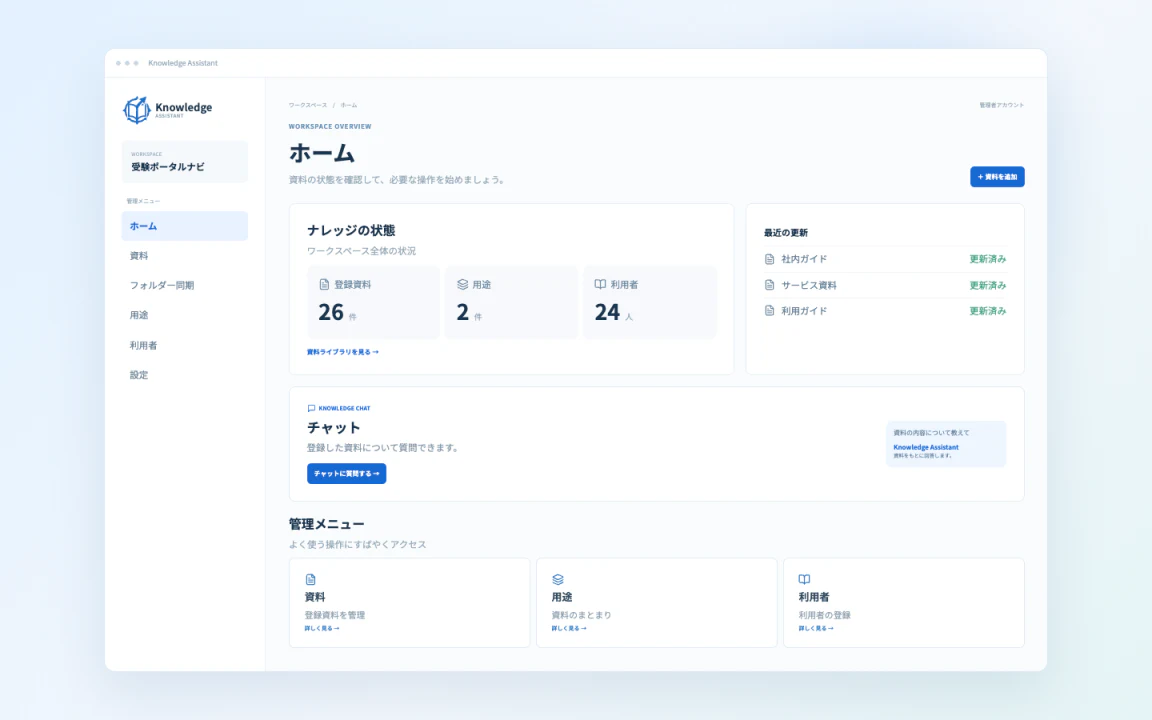
AI assistant for internal teams
Knowledge Assistant
Finds relevant material from purpose-specific documents and FAQs, then answers with source links.
Visit the product site (opens in a new tab)
Website development
Corporate website
From domain setup to launching a secure site. We work together on content, design, launch, and later improvements.
Learn moreCan we get in touch before we have requirements?
Yes. We start by discussing how you work now and agree on what to tackle first.
Can you update software built by another company?
We review the architecture and source code, then explain what we can change and how we would approach it.
What data do you use for a proof of concept?
We agree on the data and how to handle it before testing. Sample or anonymized data can also be used.
Can you support us after launch?
Yes. We can discuss ongoing operations, new features, and improvements to AI answer quality.